An AI agent that writes and publishes on your WordPress
PressCrew reads the sources you choose, writes by your editor-in-chief's rules and sends the article to your WordPress site. You approve every draft, or let the agent publish on its own.
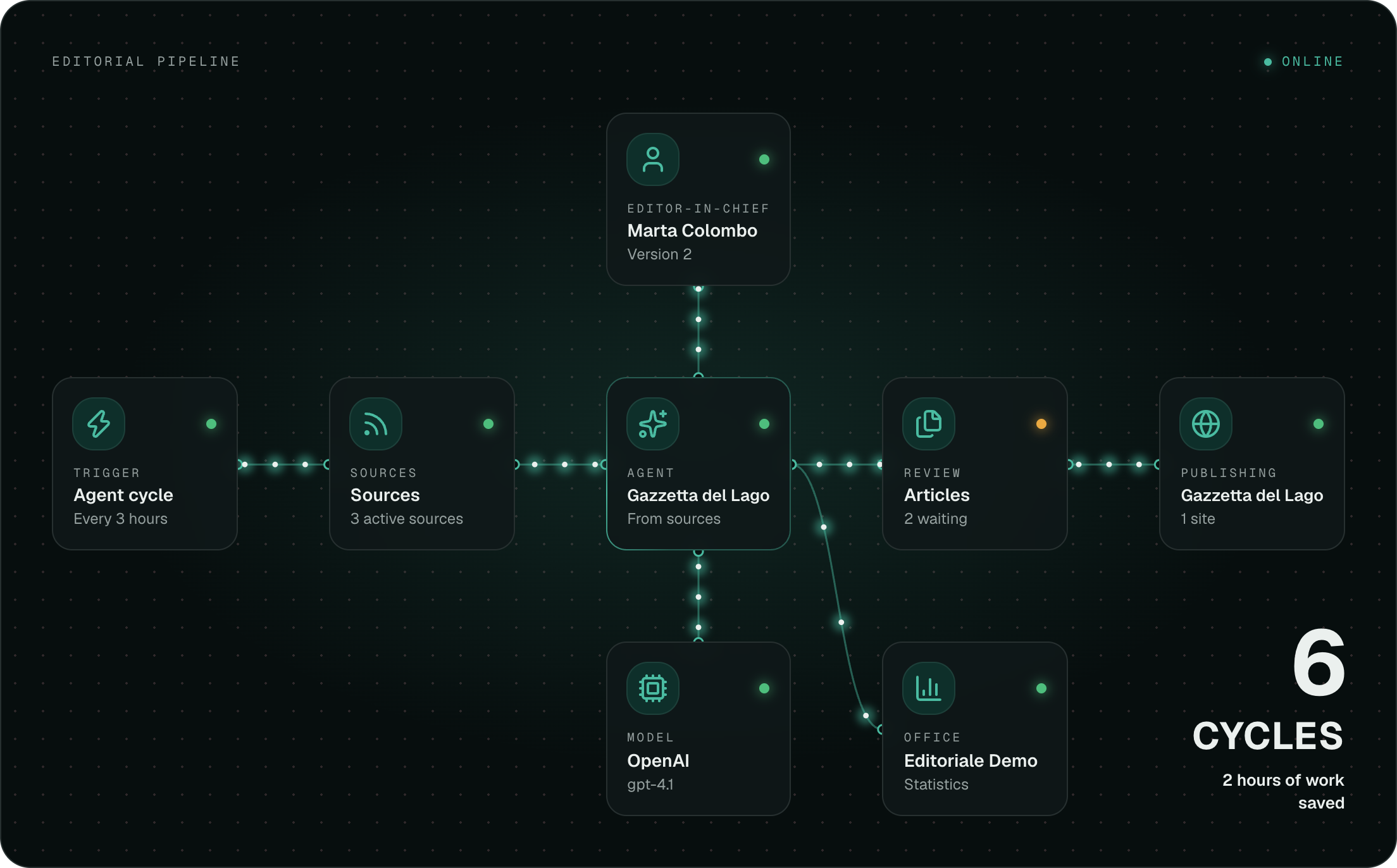
From RSS feed to live article, in four steps
Every step is a node you can open and change. No black boxes.
It reads the sources
You list the RSS feeds to draw from. The agent keeps track of what it has already used and drops off-topic stories.
It writes by your rules
The editor-in-chief is a text you write: tone, what to cover, what to avoid. Every change creates a version, so you know which rules an article was written with.
It waits for your approval
Articles arrive in review. You open the preview, check the sources used and approve or reject.
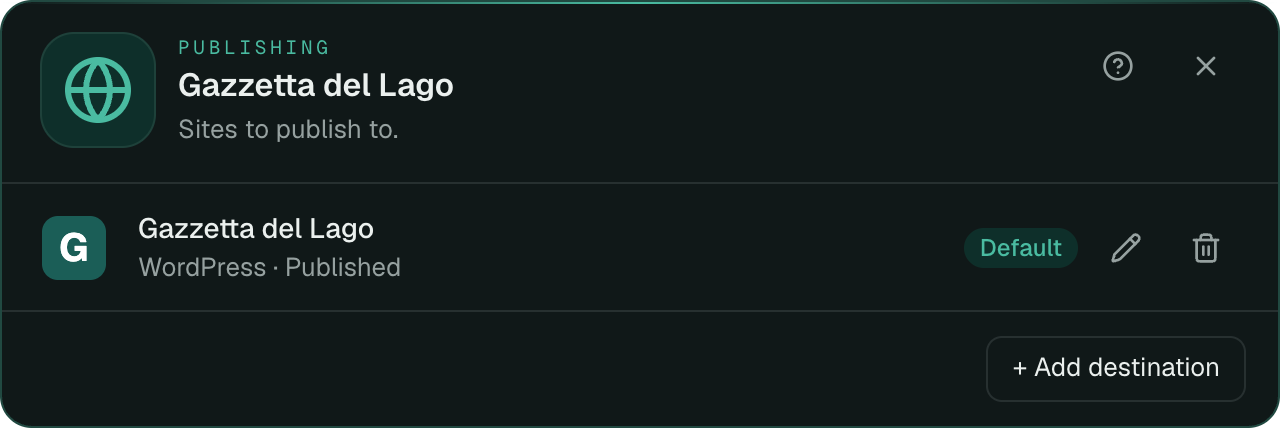
It publishes to WordPress
With one click the article goes to your site. You choose whether it arrives as a draft, pending, scheduled or already published.
It connects to WordPress with no plugin to install
PressCrew uses the REST API WordPress already has. You need the site address, a user and an Application Password, which you create in seconds from your profile.
- No plugin
- There is nothing to install or update on the site: the connection goes through the WordPress REST API.
- Status at publication
- For each site you choose whether articles arrive as a draft, pending, scheduled after a set number of hours, or already published.
- Categories and tags
- The agent picks a category from those the site already has. Tags you list are created if they are missing.
- More than one site
- A newsroom can have several destinations, up to your plan's limit.
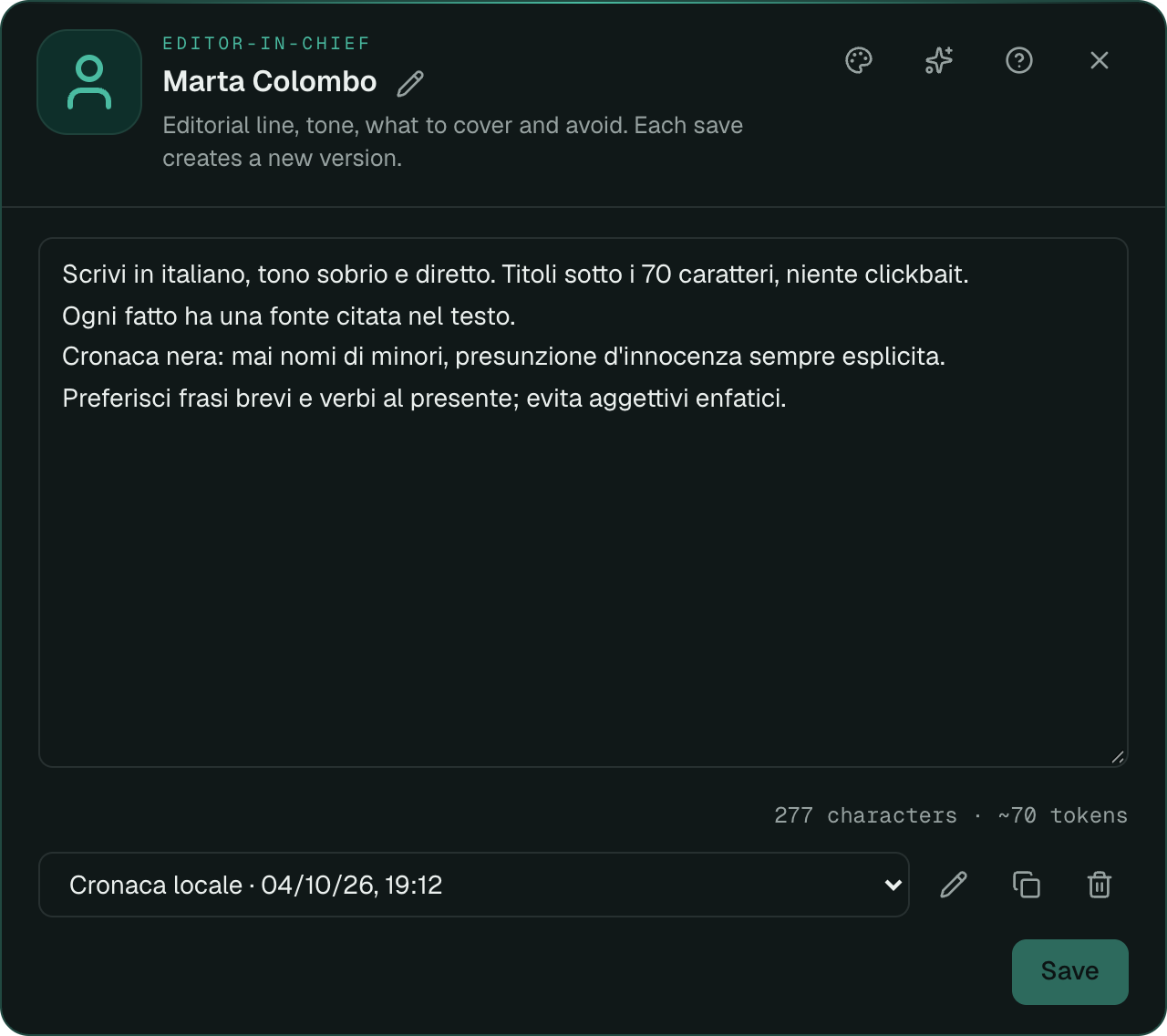
The editor-in-chief rules are yours, and they stay versioned
Tone, editorial line, topics to avoid: you write them as free text and the agent applies them to every article.
- Rule versions
- Every save is a new revision. You can reopen the previous one and restore it.
- Writing skills
- Preset instructions, like source checking or SEO headlines, are applied before your rules, which always take precedence.
- Three levels of autonomy
- The agent can only suggest drafts to rework, hand them to review, or publish on its own. Start with the most cautious level.
- Style analysis
- Point to a site and the AI derives the style of its headlines and text, to add at the top of your rules.
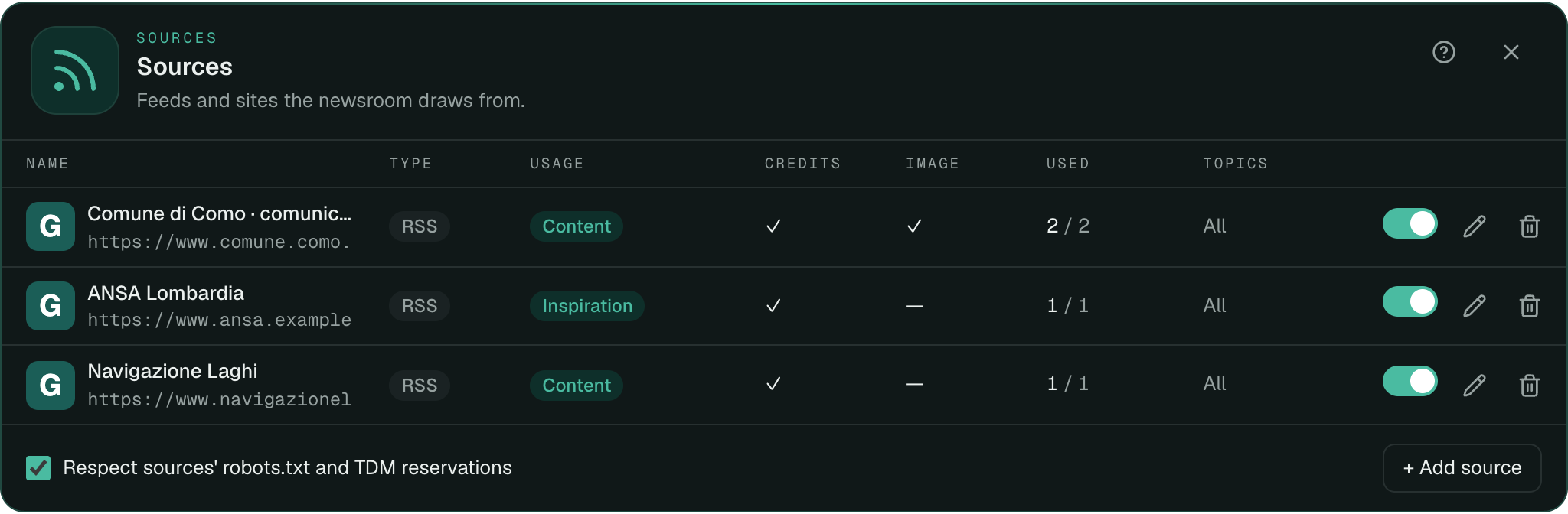
Sources under control, with credits in their place
You decide where the agent reads and how it may use what it finds. Choices about sources, licences and publishing remain the publisher's responsibility: PressCrew gives you the tools to make them knowingly.
- robots.txt and TDM reservations
- With the option on, the agent respects what sources have opted out of.
- Credits at the end of the article
- For each source you decide whether to leave the link at the end of the article.
- Images and licences
- Choose source by source whether its image may be reused, and note the agreements you have.
- AI transparency note
- Articles can close with a note stating the use of AI. You turn it on or off per newsroom.
The model you prefer
Use the platform's AI, which consumes credits, or your own key if your plan allows it. Switch provider and model whenever you like.
Works with
- OpenAI
- Claude
- Gemini
- DeepSeek
- Z.ai
Frequently asked questions
Do I need to install a plugin on WordPress?
No. PressCrew talks to the WordPress REST API using an Application Password. There is nothing to install on the site.
What is an Application Password?
It is a dedicated password WordPress generates for an external application. You create it under Users → Profile → Application Passwords and can revoke it at any time, without changing the password you sign in with.
Does the agent publish on its own?
It depends on how you set it up. The default level hands drafts to review and you publish them. If you want, you can let it publish autonomously.
Can I connect more than one WordPress site?
Yes. Each newsroom can have several destinations, up to the limit of your plan. The number of newsrooms also depends on the plan.
Which AI models does it use?
OpenAI, Claude, Gemini, DeepSeek and Z.ai, through the platform's AI or your own key, if your plan includes it.
What language does it write in?
Each newsroom has a content language, Italian or English. The interface is also available in both.
Do articles say they were written with AI?
By default they do: they close with a transparency note. You can turn it off for each newsroom.
Try PressCrew on your WordPress